
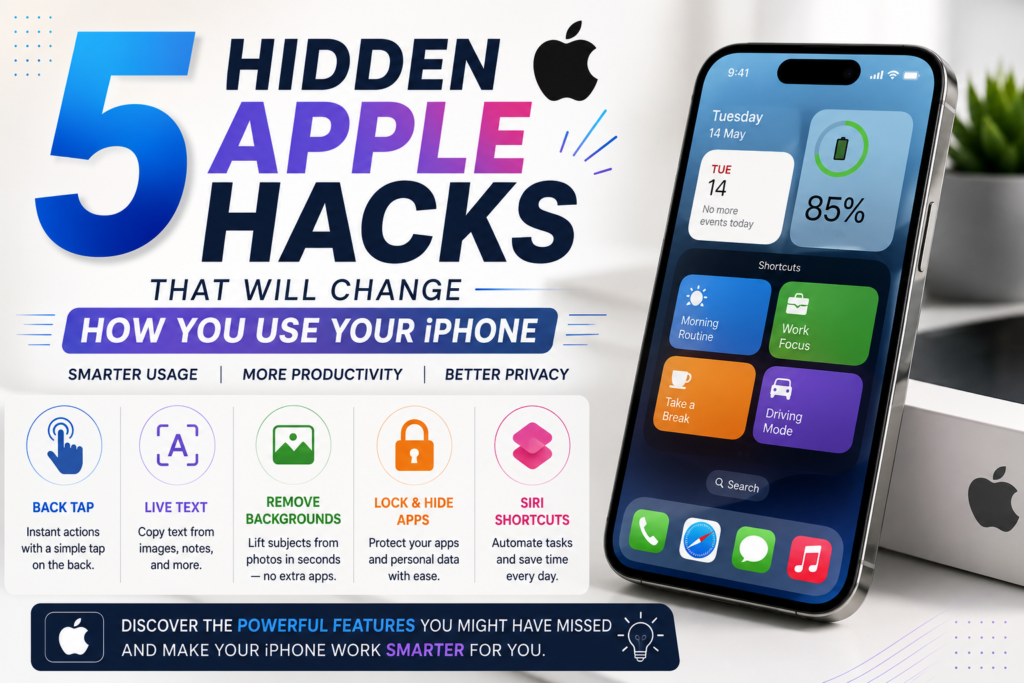
If you feel like you already mastered your iPhone, the “Hidden Apple Hacks” idea can totally change how you use it , every single day. Apple keeps adding strong options with each iOS update, but a lot of them go unnoticed, by most people. Between helping with productivity and guarding your privacy, plus speeding up directions and stretching battery life these little tricks can help you get a whole lot more from the device you already have.
No matter if you’re on the newest iPhone, or you still have an older model, these clever features can help you save time, make daily routines feel simpler, and upgrade the way everything feels overall. Here, we’ll dig into five of the best Hidden Apple Hacks you should start using today. We’ll also include extra iPhone tips and quick tricks that make the whole experience smarter, not harder.
1. Use Back Tap for Fast, Instant Actions
One of the best Hidden Apple Hacks is Back Tap. Instead of opening menus, hunting around for settings, or wasting time searching, you can just tap the back of your iPhone two or three times, and it triggers specific functions.
You can set Back Tap so it does things like:
- Take a screenshot
- Open the Camera
- Start Siri
- Switch on the flashlight
- Lock screen rotation
- Open the Control Center
- Activate accessibility shortcuts
How to Enable It
- Open Settings.
- Tap Accessibility
- Select Touch
- Choose Back Tap
- Set up actions for Double Tap and Triple Tap
This option makes day to day tasks way more swift, and honestly it helps a ton when you’re using the phone with just one hand, or you’re juggling something else.
2. Remove Backgrounds from Photos Without Extra Apps
Apple now lets you remove the background from photos pretty quickly, seconds even, with out grabbing any extra third party stuff.
Just do this:
- Open the Photos app.
- Press and hold the main subject, then wait a moment.
- Tap Copy or Share.
- Paste it into Messages , Notes, or another supported app.
This is a kind of Hidden Apple Hack that creators, students, and pros tend to use again and again, it saves time and the results are pretty accurate, like way more than you might expect.
Whether you’re making slides, social posts, or quick touch ups, it feels incredibly convenient.
3. Use Live Text to Grab Information from Images
Have you ever got a picture that shows a phone number, a Wi Fi password, or an address?
Instead of retyping everything like a robot, Live Text helps you grab the text right from the image.
Try this:
- Open an image in Photos.
- Tap and hold the text, and don’t rush it.
- Select the part you want.
- Copy, translate, search, or share on the spot.
This feature is another Hidden Apple Hacks example, that makes normal stuff simpler, less time consuming.
Live Text also shows up with things like:
- Restaurant menus
- Business cards
- Documents
- Signboards
- Screenshots
It’s a solid productivity win for students, office workers, and people who travel often.
4. Lock, or Hide Sensitive Apps
Privacy seems to matter more every year. Apple already gives you built-in options to secure your personal data without adding more security apps, or whatever.
Depending on which iOS version you have, you might be able to:
- Lock apps with Face ID.
- Hide specific apps from your Home Screen.
- Put a password on notes.
- Secure passwords using the Passwords app.
- Hide private photos.
This privacy-minded feature is kinda one of the most practical “Hidden Apple Hacks” because it helps protect your personal stuff even if someone else borrows your phone for a minute.
Also, you can check which apps are allowed to use things like:
- Camera
- Microphone
- Contacts
- Photos
- Location
Just go to Settings > Privacy & Security and adjust the permissions from there
5. Make Strong Siri Shortcuts for Daily Stuff
Siri Shortcuts let you automate several actions with one tap , or a quick voice request.
For instance, a single shortcut can:
- Turn on Do Not Disturb.
- Play your favorite playlist.
- Open Maps.
- Send your ETA to family.
- Kick off your workout timer.
So instead of doing each step by hand, everything kind of runs on its own. Like… automatically.
This one is also a smart Hidden Apple Hacks choice if you want better productivity, without extra effort.
Some popular shortcut ideas are:
- Morning Routine
- Driving Mode
- Study Mode
- Office Routine
- Sleep Routine
- Travel Checklist
- Workout Mode
The Shortcuts app keeps getting new automation abilities, so it stays one of Apple’s most powerful built-in tools.
Bonus iPhone Tips that you should know
So, beyond these five little tricks, there’s still a bunch of iPhone features you could really use, like, if you dig around
- Try Focus Modes so you cut down distractions.
- Scan documents straight from the Notes app.
- Share Wi-Fi passwords quickly with nearby Apple devices.
- Use Visual Lookup for plants, animals, and those random landmarks you see.
- Customize your Lock Screen with widgets, and yeah it looks nicer too.
- Use Apple Intelligence features where they’re supported.
- Turn on Battery Charging Optimization to help preserve battery lifespan.
- Track your devices with the Find My app.
- Use Safari Reader Mode for less distraction while reading.
- Translate text instantly, using the built in Translate app.
Most people miss these things, but they can make your day to day workflow smoother, like real noticeably.
Why these hidden features actually matter
A lot of users just skim the surface of what an iPhone can do. Apple keeps adding new capabilities that make things smarter, safer, and easier to manage, but they somehow stay buried, mostly inside Settings
When you learn these Hidden Apple hacks you can
- Save time each day.
- Boost productivity, and reduce the annoying moments.
- Protect your privacy a lot better.
- Personalize how you use your iPhone.
- Get more value out of the device without downloading extra apps.
Whether you’re new to Apple or you’ve been using iPhones for years, spending just a few minutes exploring these options can really change how you interact with your iPhone, day after day.
Final Thoughts
Apple devices are full of smart, little things most people never quite get around to. If you start using these Hidden Apple Hacks, you can reveal strong tools that are already built in on your iPhone, and yes, even a few day to day moments feel quicker, simpler, and kinda more pleasant. You might notice Back Tap, Live Text, then move into Siri Shortcuts, plus the deeper iPhone privacy settings, and even photo enhancements that feel like they have a bit of AI behind them. It’s kind of wild, really, how these secret iPhone features can show you just how capable your phone is. So keep poking around with new iOS updates, because Apple keeps adding fresh improvements that make your smartphone more efficient and more friendly to live with.
Additional SEO Keywords Used Naturally: Hidden Apple Hacks, iPhone hidden features, Apple iPhone tips, Hidden iOS features, Siri Shortcuts, iPhone privacy settings, iPhone productivity hacks, secret iPhone features, iPhone tricks, iOS tips and tricks.