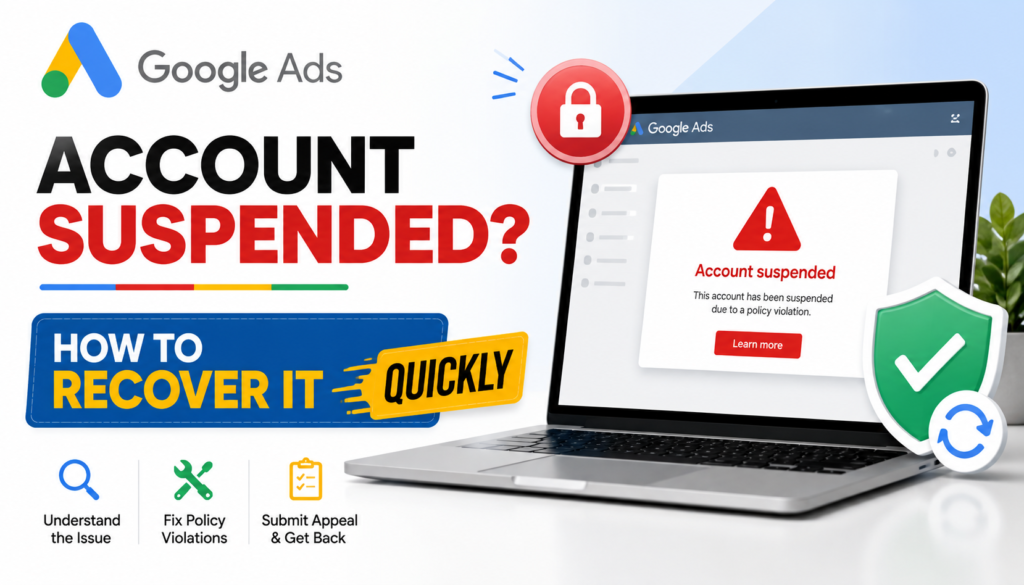
Getting a Google Ads account suspended can be stressful, especially when your ads are driving leads, sales, or daily revenue. When Google flags an account for trademark impersonation, many advertisers immediately try to appeal, edit a few ads, or even create a new account.
These quick reactions can make the situation worse.
The better approach is to understand why the account was suspended, fix the actual policy issue, and then submit a clear and complete appeal. If your account has been suspended because of a trademark-related issue, follow the steps below carefully.
1. Understand Why Your Google Ads Account Was Suspended
Before making any changes, read the suspension email and the notification inside your Google Ads account.
Google usually provides information about the policy that caused the suspension. Your first job is to identify the exact policy category rather than assuming that every trademark-related suspension has the same cause.
For example, the issue could involve:
- Trademarked words used incorrectly in ad copy
- Use of a brand name without proper authorization
- A landing page that creates confusion about brand affiliation
- Misleading claims about being an official brand or reseller
- Another Google Ads policy that has been triggered alongside the trademark issue
This step is important because you cannot fix a problem correctly if you do not know what Google has actually flagged.
If you receive a warning instead of an immediate suspension, use the available time to review your ads, keywords, landing pages, and business information before the issue becomes more serious.
2. Do Not Create a New Google Ads Account
One of the most common reactions after getting a Google Ads account suspended is to create another account and start advertising again.
Avoid doing this.
Creating a new account to get around a suspension can create additional policy problems, particularly if Google considers the new account an attempt to bypass enforcement.
Instead of starting over, focus on resolving the problem with the original account.
Your goal should be simple: identify the violation, correct it, document the changes, and use the official appeal process.
Creating multiple accounts can make the situation more complicated rather than solving the original suspension.
3. Review Your Ads and Landing Pages
Once you understand the suspension reason, conduct a complete compliance check.
Do not review only the ad that Google may have identified. Check the entire campaign and the landing pages connected to your ads.
For a trademark-related issue, review:
Ad Copy
Check headlines, descriptions, callouts, sitelinks, and other assets for trademarked terms.
If you are not authorized to represent another company, avoid language that could make users believe your business is that company or is officially connected to it.
Display URLs
Review your display URLs and make sure they accurately represent your business and website.
Dynamic Keyword Insertion
If your campaigns use dynamic keyword insertion, check how keywords can appear in your ads. A keyword that looks acceptable in your campaign settings could potentially create a misleading ad when inserted dynamically.
Landing Pages
Your landing page should clearly identify your own business.
Check for:
- Brand names
- Logos
- Claims of official affiliation
- Statements suggesting you are an authorized representative
- Contact information
- Business name
- About page
- Terms and policies
The information across your website should be consistent and transparent.
Also Read : ChatGPT vs Gemini vs Claude: Which AI Model Is Best in 2026?
4. If You Are an Authorized Reseller, Collect Proof
Not every trademark-related issue means you cannot use a brand name.
If you are an authorized reseller, distributor, partner, or representative, collect documentation that supports your relationship with the trademark owner.
Depending on your situation, this could include authorization letters, reseller agreements, distributor documentation, or other relevant business records.
Make sure the information is current and clearly connects your business with the brand.
Do not submit documents simply because they mention the brand. The documentation should actually demonstrate your authorization or relationship.
If you are not authorized to use the trademark, the safer approach may be to remove the trademarked material that is causing the issue and make your advertising clearly represent your own business.
5. Make All Changes Before You Appeal
One of the biggest mistakes advertisers make after getting a Google Ads account suspended is submitting an appeal too quickly.
They remove one ad, change one headline, and immediately send the appeal.
Instead, complete a full review first.
Check your:
- Campaigns
- Ads
- Ad assets
- Keywords
- Landing pages
- Website branding
- Business information
- Domain details
- Contact information
- Trademark usage
- Claims about partnerships or affiliations
The goal is to make sure there is no obvious remaining issue before Google reviews your account again.
An appeal should not be used as a way to ask Google what is wrong. You should already understand the suspension and explain the corrective action you have taken.
6. Write a Clear Google Ads Suspension Appeal
Once everything has been reviewed and corrected, prepare your appeal.
A good appeal should be specific and easy to understand.
Explain:
What happened:
Briefly explain the policy issue identified by Google.
What you changed:
Describe the exact changes made to your ads, website, or account.
Why the account is now compliant:
Explain how the changes address the policy concern.
Supporting information:
If you are authorized to use a trademark, provide the relevant documentation when requested.
Avoid writing a long emotional explanation about lost revenue. Google needs useful compliance information, not a detailed description of how much the suspension has affected your business.
Do not simply write, “We reviewed our account and everything is compliant now.”
Instead, explain what you actually reviewed and changed.
7. Do Not Submit Multiple Random Appeals
If your first appeal is unsuccessful, do not immediately send several new appeals with almost identical information.
Take time to understand the response and review your account again.
Repeated appeals without meaningful changes may not solve the problem.
Before submitting another appeal, ask yourself:
- Did I correctly identify the policy?
- Did I fix every relevant ad?
- Did I check the landing page?
- Did I remove misleading brand claims?
- Do I have authorization documentation if required?
- Did I clearly explain the changes in my appeal?
A carefully prepared appeal is much more useful than repeatedly submitting generic requests.
8. Be Careful After Your Account Is Reinstated
Getting your Google Ads account suspended and then reinstated does not mean you should immediately return to your previous campaign setup.
Continue monitoring the account closely.
Avoid making several major changes at the same time. Instead, make changes gradually and continue checking your ads and landing pages for policy compliance.
Pay particular attention to:
- New ad copy
- New keywords
- Trademarked terms
- Landing-page changes
- New promotions
- Business information
- Claims about partnerships or affiliations
If your business legitimately uses another company’s trademark, make sure the authorization remains valid and that your advertising does not create confusion about who operates the business.
Also Read : SEO Website Audit: A Complete Step-by-Step Guide to Improve Your Website Rankings
Conclusion
A Google Ads account suspended because of trademark impersonation is not something you should try to solve by opening another account or sending rushed appeals.
The better process is straightforward:
Identify the policy → Review the account → Fix the issue → Collect supporting documents → Submit a detailed appeal → Monitor the account after reinstatement.
The most important part is not how quickly you submit an appeal. It is whether you have actually addressed the reason for the suspension.
Take the time to diagnose the problem properly, make complete changes, and submit one clear, evidence-based appeal through Google’s official process. This gives you a much stronger path toward getting your advertising account back and keeping it compliant in the future.